Project 02 / Case study
ENMOD
A resale workflow turned into
an operational product system.
From a product found in the real world
to a product ready to sell.
ENMOD explores a simple question:
How can a physical sourcing and resale activity be turned into a structured digital workflow?
Instead of treating the storefront, inventory and administration as separate problems, the project connects them into one operating system.
01 / The problem
The store is only
the visible part.
A resale activity does not begin when a product appears online.
Before publication, a product has to be identified, described, categorized, priced, assigned a real quantity, prepared for delivery and integrated into the store.
ENMOD was designed around that complete workflow.
02 / Two sides of the same product
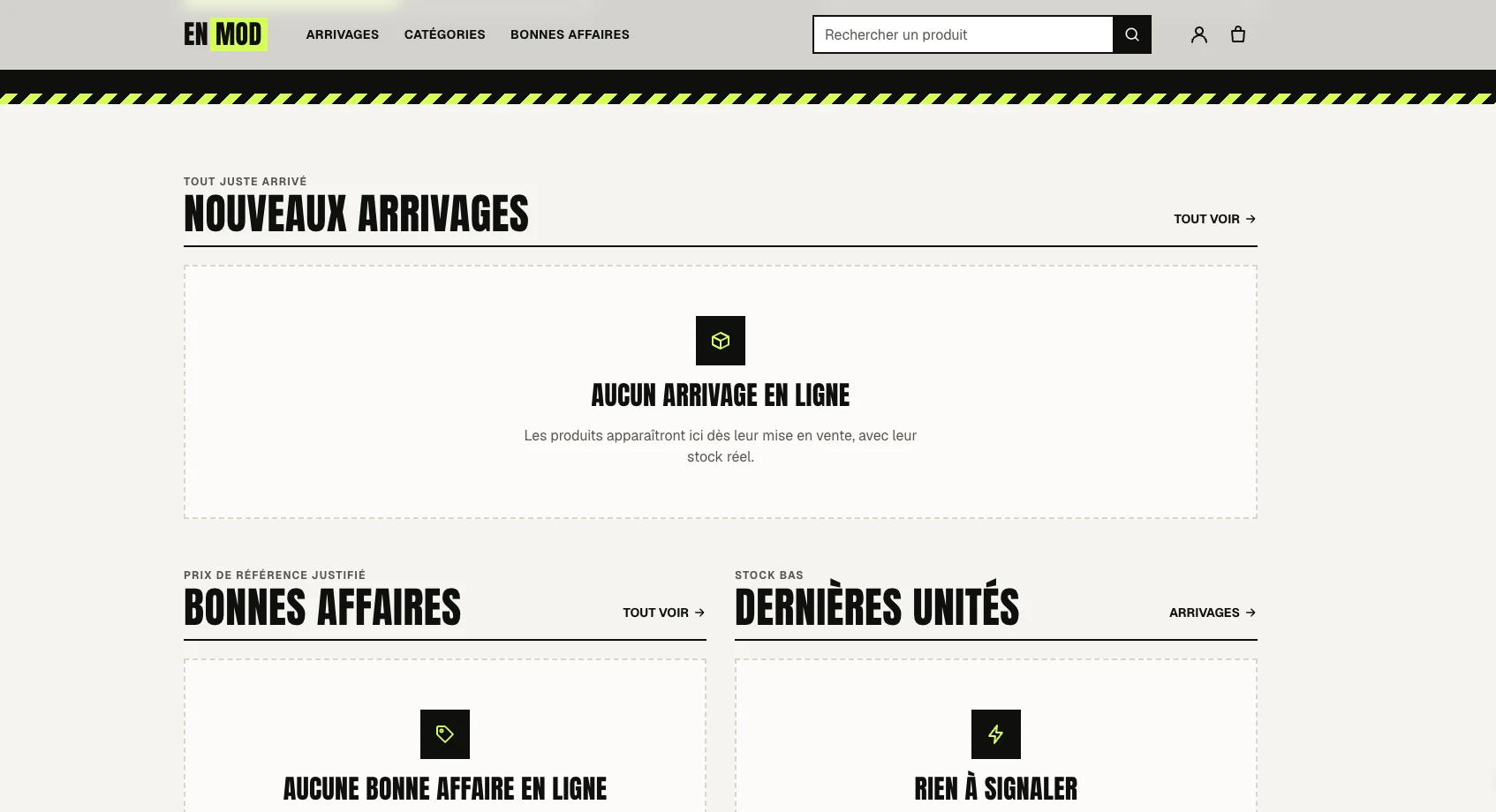
One product.
Two environments.
Public storefront
The customer-facing experience.
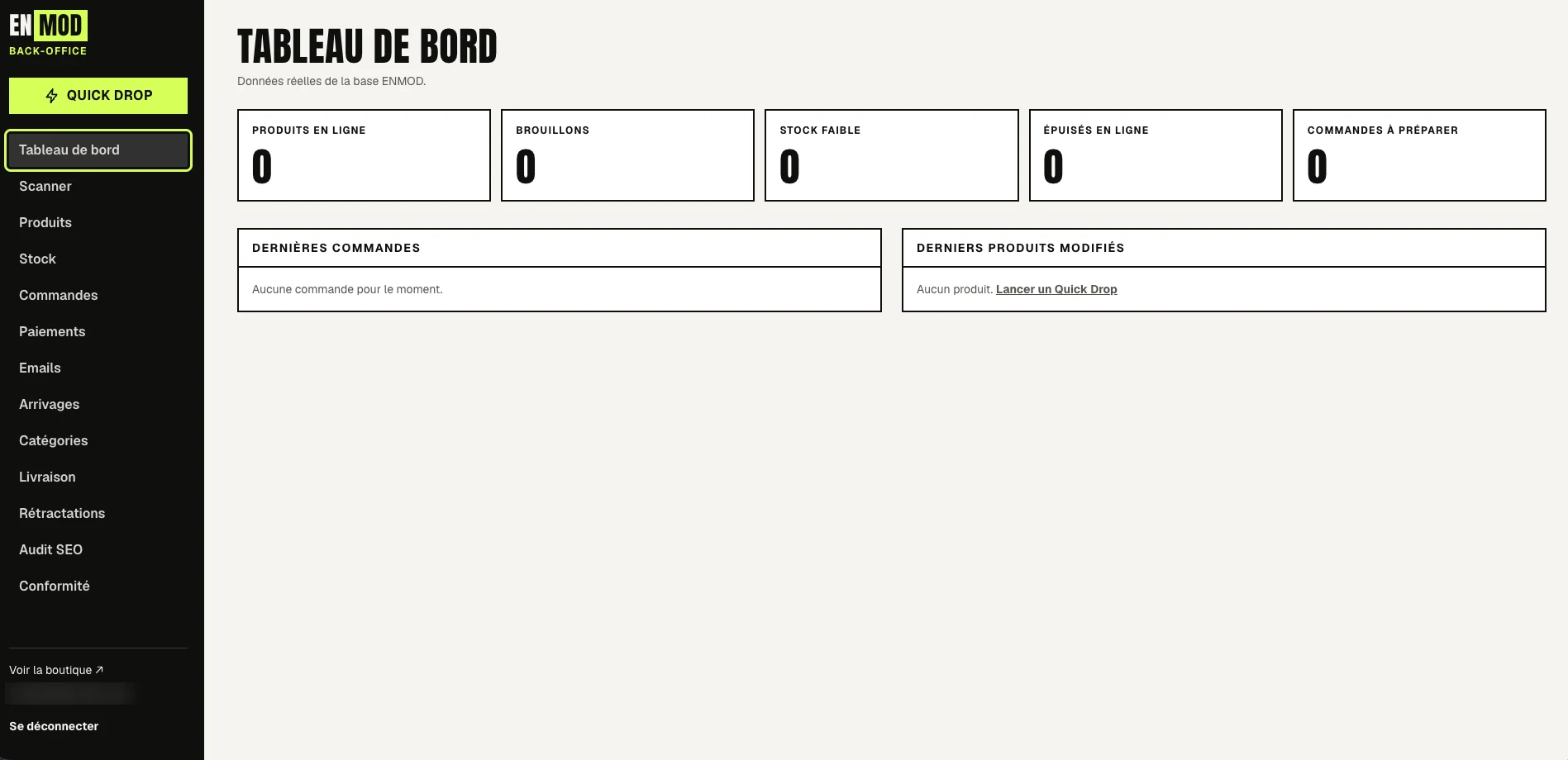
Back office
The operating environment behind it.
03 / From discovery to decision
Start with
the product.
The workflow can begin directly from a product found in the field.
The interface provides several entry points visible in the product:
- Take a photo
- Import an image
- Enter a code
The goal is to reduce the distance between discovering a physical product and processing it inside the system.
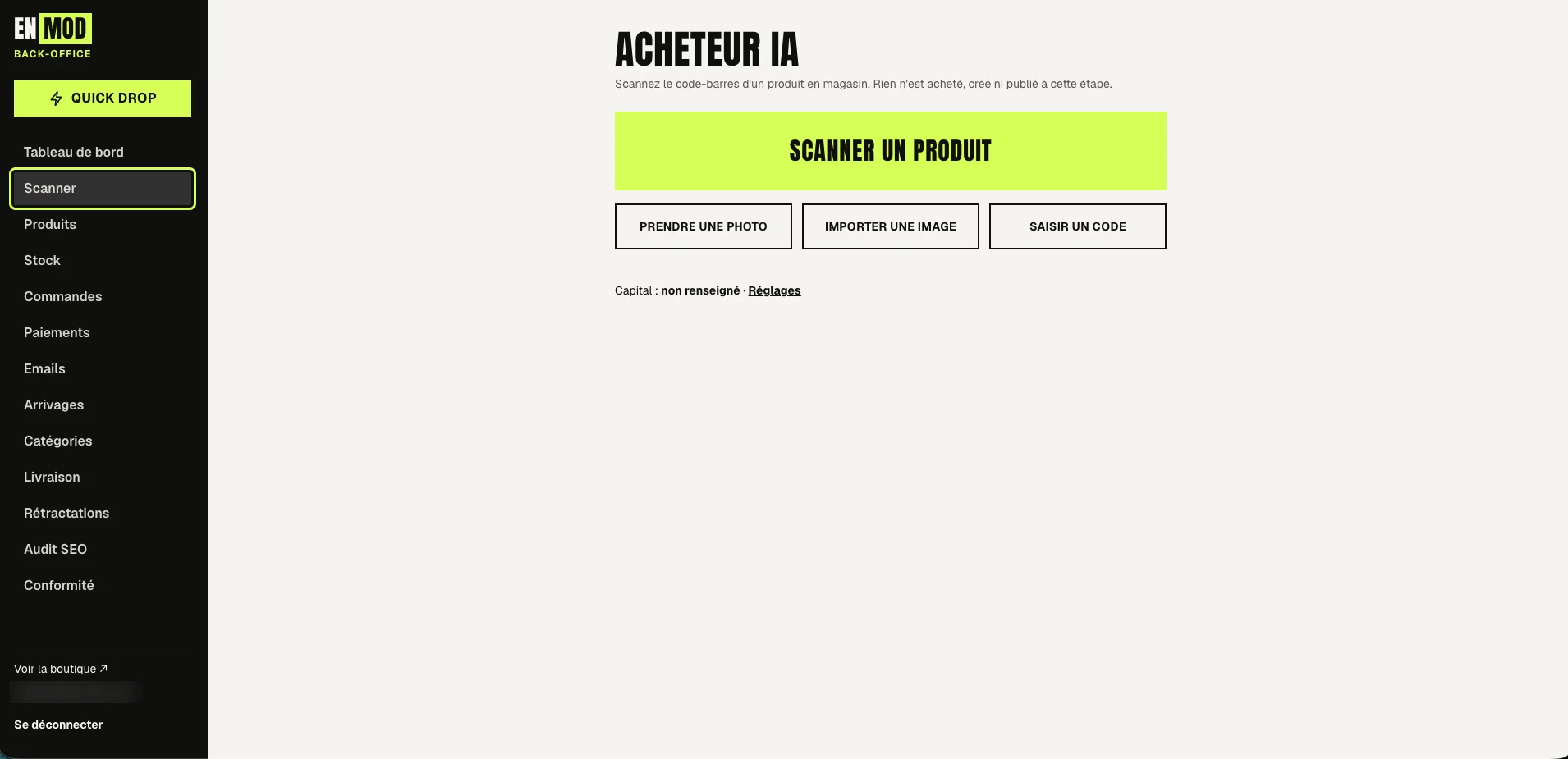
The interface states it plainly: nothing is bought, created or published at this stage.
04 / Quick Drop
Turn a physical item
into structured data.
Quick Drop brings the information needed to prepare a product for publication into one workflow.
From the screenshots, the interface handles:
- 01Photos
- 02Product information
- 03Brand / reference / EAN
- 04Category
- 05Condition
- 06Price
- 07Real stock quantity
- 08Delivery information
- 09Arrival
- 10Publication
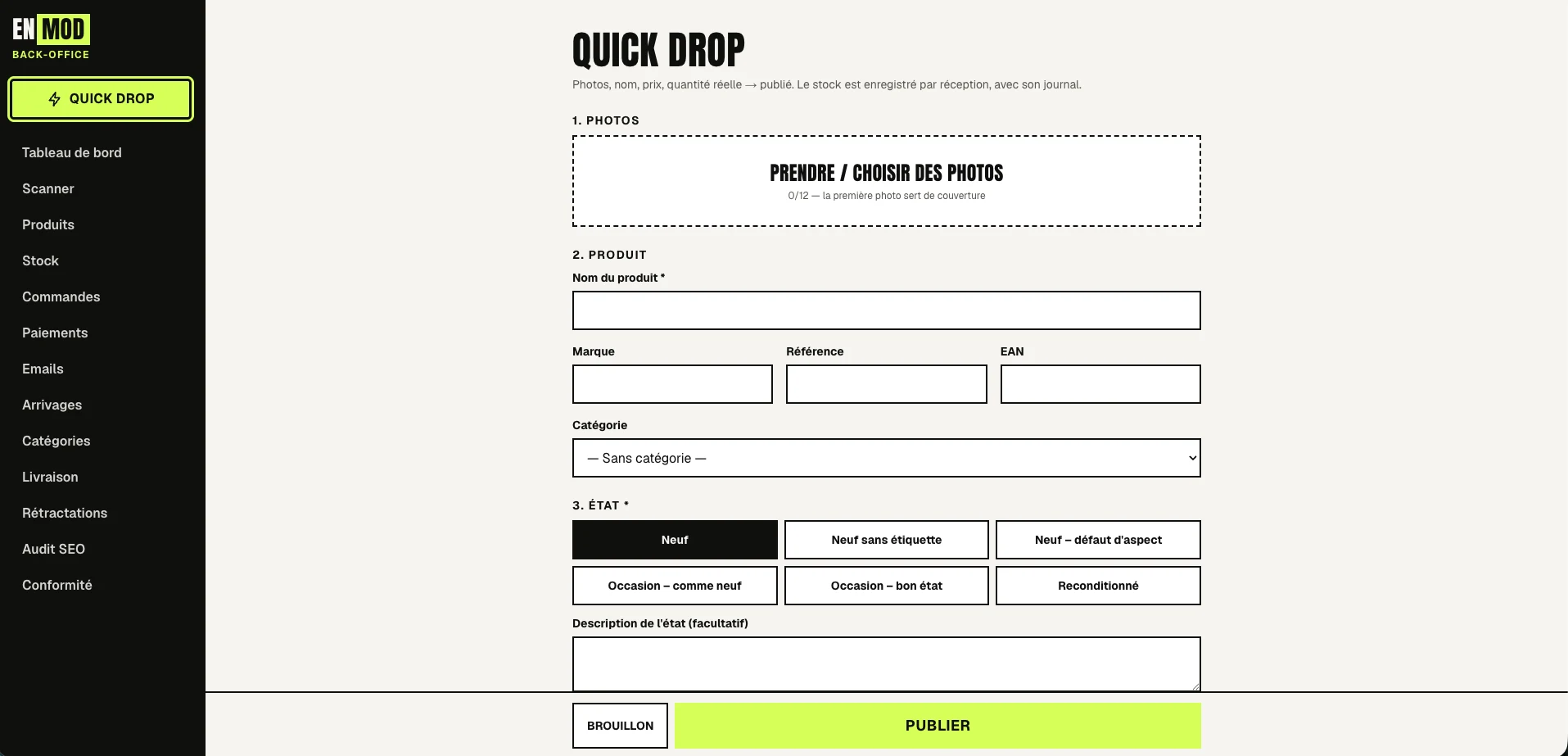
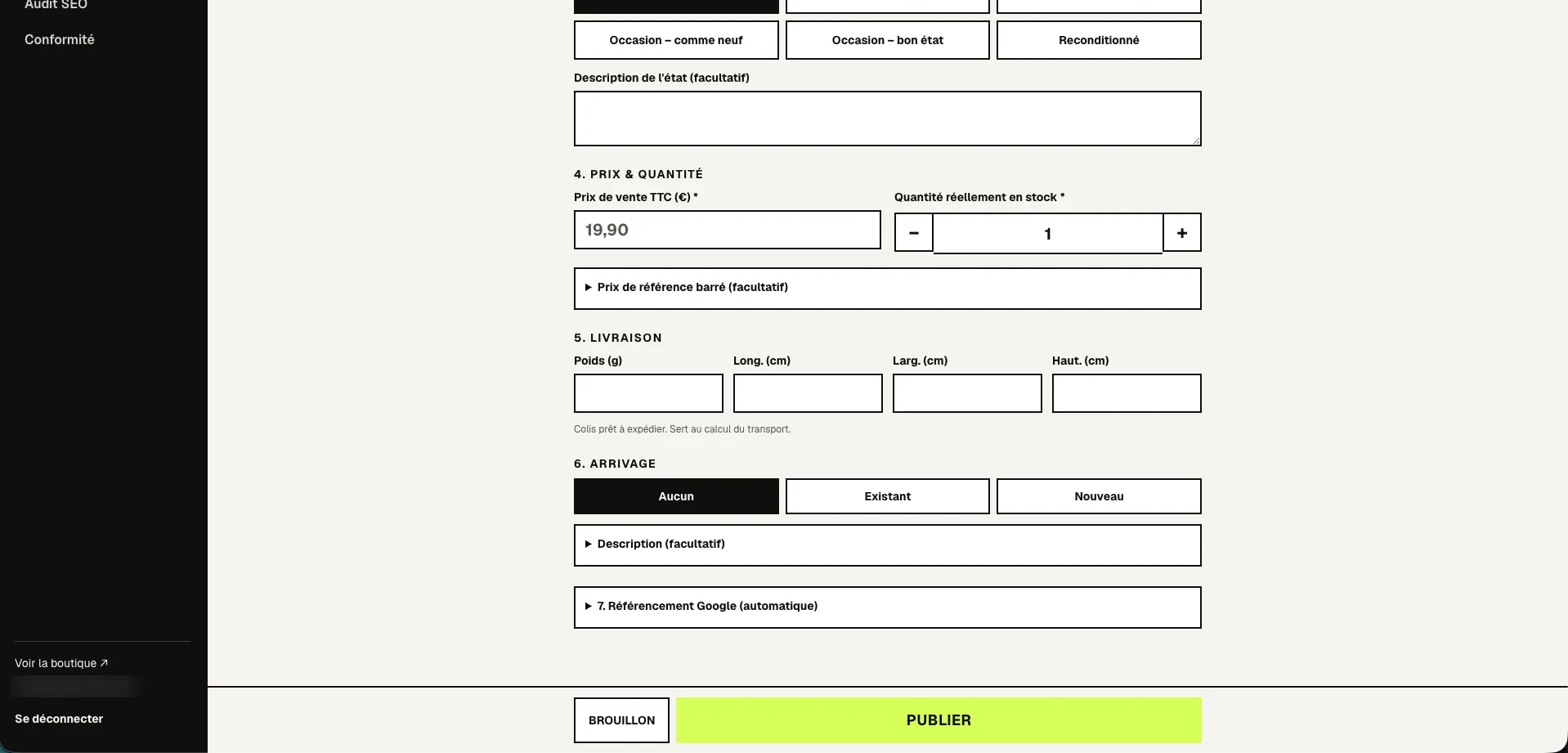
The important part is not the form itself. It is the transformation:
- Physical product
- Structured information
- Managed inventory
- Published product
05 / Operations
The system behind
the storefront.
The back office centralizes the operational areas visible in the product:
- Dashboard
- Scanner
- Products
- Stock
- Orders
- Payments
- Emails
- Arrivals
- Categories
- Delivery
- Returns
- SEO audit
- Compliance
The dashboard provides an operational view of products, drafts, low stock, sold-out products and orders to prepare.
06 / Structure the catalog
Structure
before scale.
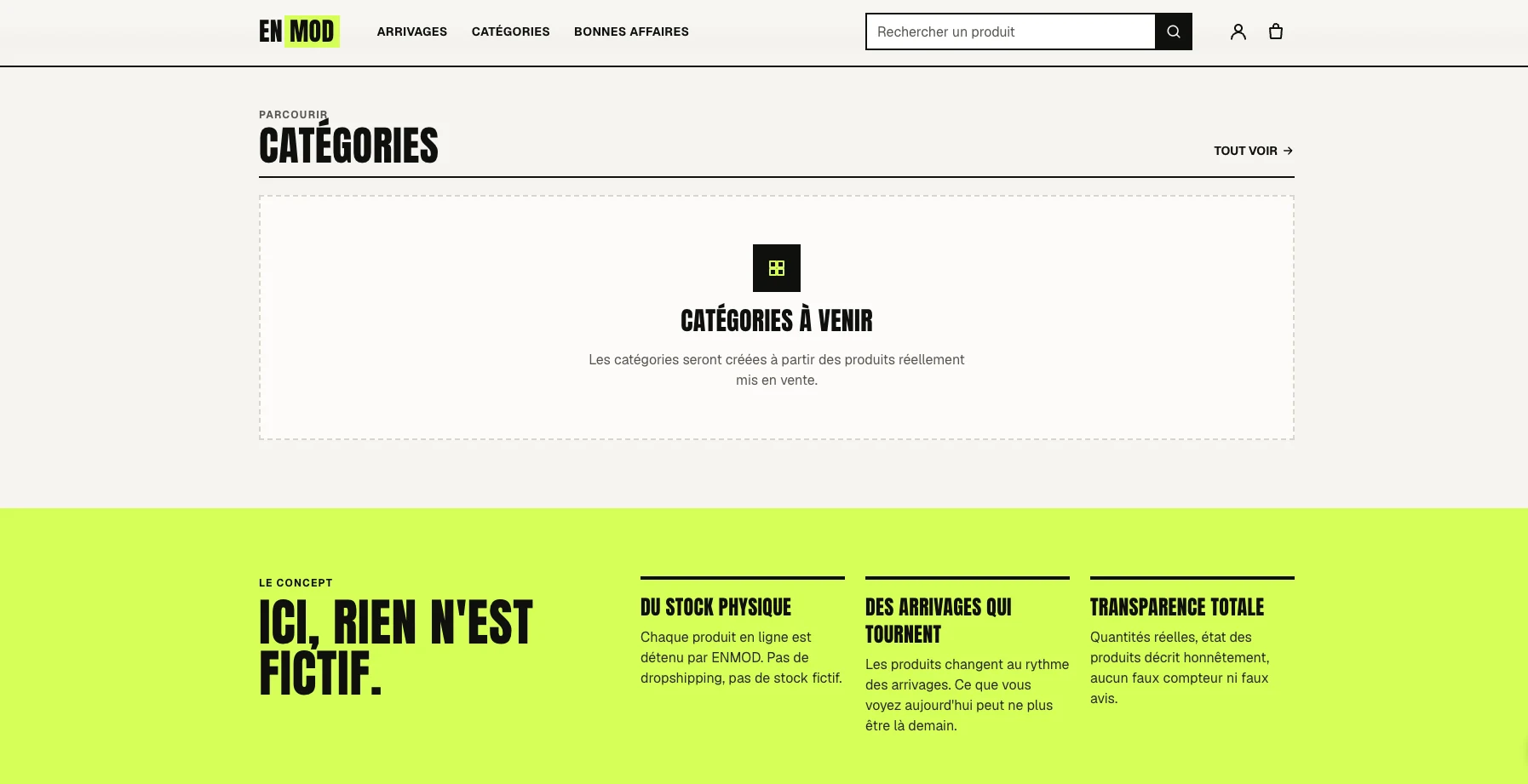
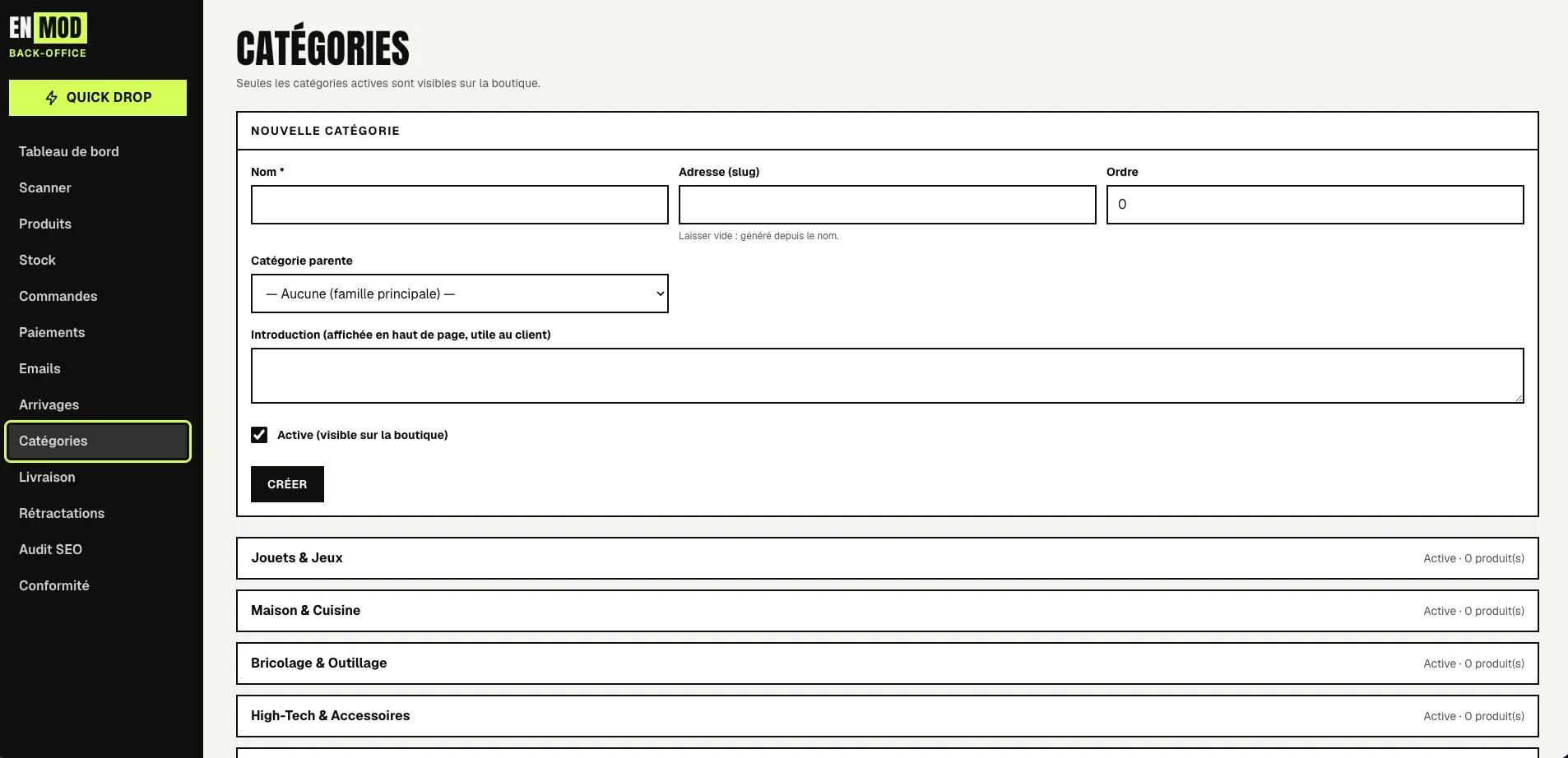
The administration layer also manages the structure exposed by the storefront.
Categories can be created, organized, activated and prepared with customer-facing introductory content.
This connects internal product organization with the public browsing experience.
07 / The workflow
- 01Discover
- 02Identify
- 03Structure
- 04Price
- 05Stock
- 06Publish
- 07Sell
- 08Operate
The storefront is
what people see.
The real product is
the system behind it.
What this project demonstrates
- Turning a business process into a digital workflow
- Designing both customer-facing and internal interfaces
- Structuring product and inventory operations
- Connecting physical operations with software
- Thinking beyond the visible interface
- Designing tools around real operational constraints
- Iterating from business need to usable product
My role
- Product thinking
- Business workflow definition
- Functional specification
- UX / interface direction
- AI-assisted development
- Testing and iteration
I didn’t want to build
just an online store.
I wanted to understand
the system required to run it.